In principle, groups often get bogged down in details (who should do what by when and how) and fail to stay on the high ground (strategic direction and guiding policies).
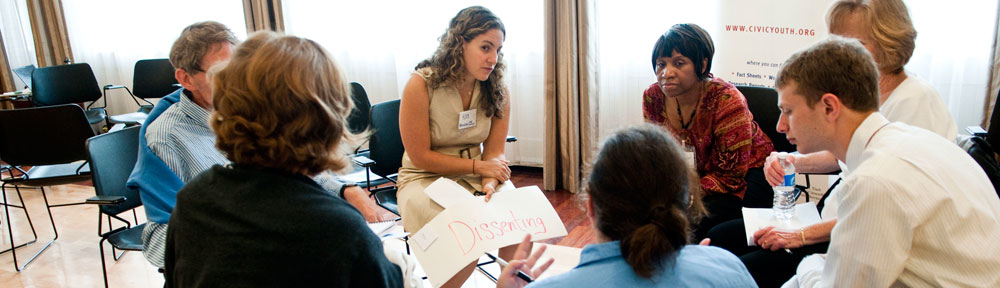
The group as a whole has the unique perspective of seeing all that the group is doing, all the opportunities, all the threats. It is a view from the hill top. An individual group member has the unique perspective of seeing the details on the ground and has the best sense of how to actually implement policies in the field.
Practical Tip: As a group responsible for establishing plans and policies, consider the big picture and make high-level decisions that guide implementation. Resist the temptation to dictate details. Encourage the group as a whole to stay on the high ground and trust individuals to handle the trenches.
If you were wondering with us recently about how online comments sections can be made more civil, we encourage you to check out a savvy new tool that our organizational partners at Public Agenda are experimenting with. PA has embedded a “reader reaction button” – an evolutionary leap forward from Facebook’s “like” button – into their site that allows readers to react in multiple, nuanced ways to almost any part of an article or comment.
With reactions such as “respectfully disagree” and “not the whole story” available for users to express how they feel about specific content, this new tool could be a game changer for online dialogue. You can read about the new tool below or try it yourself by visiting PA’s original post here. And you really should try it because, we have to say, it’s really cool!
With the arrival of spring, we’re trying a fresh approach to the way you can interact with our online content.
We believe that engaging with fair-minded perspectives that we may not agree with is good for democracy. This practice helps us break out of a simplistic “for or against” framework toward an issue and come to a rounder comprehension of the issue and approaches to resolving it.
Unfortunately, the civil exchange of opposing perspectives is hard to find on the Internet, where interaction feels like the Wild West. Inherent anonymity doesn’t help, and neither does the click-bait game. Conflict, after all, is newsworthy. (This is something we certainly struggle with here!) All of this animosity on the Internet could actually be doing some real damage.
We may view rude Internet behavior as inevitable, but civil Internet discourse that is also click-friendly IS possible. The Engaging News Project, out of the University of Texas, is demonstrating how.
A screenshot of PA’s new Reader Reaction Button in action
The Project is experimenting with reader reaction buttons on comments for news stories – specifically, the ubiquitous “Like” button. “Like” can sometimes be a limited and limiting response. As the researchers write,
“‘Like’ doesn’t always seem appropriate. A fair, but counter-attitudinal, post in a comment section? It’s challenging to press ‘Like.’” What if news sites used a button that said “Respect” instead?
Word choice, it seems, does matter. When participants saw a “Respect” button instead of a “Like” button in the comments section on a news story, they interacted more frequently with other readers’ comments, including those from a political perspective different from their own. From the report on the research:
Instead of asking people to approach online comments thinking about whether they agree with a comment, or “like” a point of view, the “Respect” button puts people in a different state of mind. Instead of “am I with them or against them?” the “Respect” button directs people to think more about “Is this a decent argument?”
We’ve decided to adapt the “Respect” approach to how you can interact with our blog content.
If you highlight text anywhere in a blog post, or see the ReadrBoard symbol (left) on content (including pictures and video), a box opens up. In that box, you can choose your reaction (including “Respect”), see the reactions of others, or add your own reaction. We hope this new approach encourages you to engage more with our content – and with each other.
Sometimes we are so attached to things that we are apt to fight for them, so attached that when they disappear it brings great pain, so attached that our judgment is clouded to the point where we see and feel only conflict.
While right-sized compassion brings comfort, oversized attachment to people, ideas, or feelings brings turmoil and tension. While right-sized determination brings achievement, unwavering attachment to goals or ideals brings conflict.
Practical Tip: Do not be too attached to your group’s cause or decisions that you think the group should make. Do not be too attached to how you think things should be or how others should behave.
It is often those group members who are unreasonably dedicated — those who give an unreasonable amount of time or energy — who cause the most conflict.
Give your best without conditions. Speak your truth without expectations. Use the key, find peace.
Many of us in the NCDD network are part of community-based initiatives for creating change, in local government, healthcare, poverty, education, and numerous other arenas. And while we know it is important to stand back and evaluate the impact we are making on these issues and how to do things better, we often don’t know how to evaluate the effects of our work in meaningful ways.
We are so impressed by the program and its potential to benefit our community of practitioners that NCDD recently signed on as a sponsor of the initiative. In fact, we are willing to subsidize part of the registration costsof supporting NCDD members (whose dues are in good standing) if you commit to sharing some of your learnings and observations from the workshop with the rest of the network here on the blog. If you are interested in learning more about attending with an NCDD sponsorship, please email sandy@ncdd.org for more information.
So what is the program all about? Tamarack describes the initiative this way:
Evaluating Community Impact:Capturing and Making Sense of Community Outcomes is a three-day workshop intended to provide those who are funding, planning, and implementing community change initiatives with an opportunity to learn the latest and most practical evaluation ideas and practices.
This workshop is best suited to those who have an interest and some basic experience with evaluation but are eager to tackle the challenging but critical task of getting feedback on local efforts to change communities.
There is a lot that goes into doing quality program evaluation, so the workshop focuses on covering key skill sets and topics for evaluation. The learning agenda for the workshops includes:
Models and dynamics of community change, i.e. theories of change
Evaluative thinking, utilization focused evaluation, and developmental evaluation
Program evaluation and the evaluation of community change evaluation
“Measuring” systems change, dealing with unanticipated outcomes, attributing outcomes to change activities and participatory sense-making
Evaluation Planning Tools and Outcome Evaluation Tools
You can get a taste of some of the content of the Evaluating Community Impact initiative by checking out Tamarack faculty member Liz Weaver’s recent article in Engage! magazine, Evaluation: An Essential Learning Resource.
We hope that many of you will take advantage of this great opportunity and the chance to share what you learn with the NCDD community. Don’t forget to write to Sandy at sandy@ncdd.org if you plan on attending. We hope to see you there!
In principle, accountability is comparing expectations with actions, what we hoped would happen against what actually happened. It requires that expectations are written. It requires that actions are evaluated in light of the expectations. And there’s another requirement. When we are accountable we say out loud that things were achieved as expected or that things were not achieved as expected. We don’t ignore successes or transgressions, we account for them.
Accountability done right is very helpful for personal and group development. It pushes us to be thoughtful about our expectations and to learn from our shortcomings.
Accountability done wrong creates conflict, like when I publicly hold someone accountable for something that they didn’t sign up for, or when I secretly carry an expectation or a grudge. It also causes conflict when a deed goes undone that someone did sign up for but no one calls it out; no one points out that the action was out of sync with the expectation. Accountability done wrong causes resentment, confusion, and unfairness.
Practical Tip: If you want to hold someone accountable, first ensure that there is shared understanding about the expectation. Write it down. Do not judge against someone for not living up to unclear, or even imagined, expectations.
It works well when we publicly acknowledge successes of others and failures of self. When someone else achieves an expectation, notice and point it out. When you fail to achieve an expectation hold yourself accountable, be the first to notice and acknowledge the failure, and take pressure off others to do so.
In principle, different ways of deciding should be applied to different types of decisions.
Deciding how things should be — planning — is well-suited to a flat decision-making structure; that is, where several decision makers are equal and all fully participate. Some call this consensus decision making. As a rule, the longer and wider the reach of the plan, the broader and flatter the planning structure should be.
Deciding how to implement plans — doing — is better suited to hierarchical decision-making structure; that is, roles and responsibilities are stacked upon each other. There is a chain of command and accountability up and down the ladder. As a rule, the more expeditious and short-lived a decision is, the better it is to delegate it to an individual within a hierarchy.
Practical Tip: For each decision, first decide the type of decision: Is it more of a planning decision or more of an implementation-type decision? Will it have long-term, broad impact or short-term, local impact? Apply a decision-making method appropriate to the nature of the decision. Every group member need not decide small, implementation details. Long-term planning and high-level policy should not be in the hands of just a powerful few.
Are you looking for creative and effective ways to keep people engaged in your engagement projects? Then we have something you might want to look into.
We have been following the development of something called Textizen – an ingenious, text-based platform designed to help facilitate public engagement that emerged from a collaboration between Code for America and the City of Philadephia. The Textizen team is on the cusp of launching a new “campaigns” feature that we know that many of our NCDDers could find extremely useful.
Textizen Campaigns are a revolutionary way to turn lightweight action into long-term engagement. Once you’ve built an initial audience, it’s easy to stay connected through our automated text platform. Share project updates, collect additional input, or segment audiences based on past responses — it’s up to you.
The idea of using text messaging for public engagement is not new, but Textizen provides a unique and innovative way for engagement professionals to easily make use of texting to collect and organize input from multiple constituents through a simple web interface. The new campaigns feature is designed to help build a constituency for engagement projects and keep that constituency engaged and informed over time, in between meetings, and as projects change. Textizen has a suite of sophisticated tools that will help engagement professionals make the best use of the collective knowledge and capacity of their communities.
We encourage you to check out their website at www.Textizen.com, and if you’re interested in getting early access to Textizen Campaigns, you can sign up on their campaigns page. You can also stay up to date by keeping an eye on the Textizen Blog. We hope you find it useful!
In principle, there are at least two pieces to every puzzle, at least two parts to every solution. No solution to a problem is entirely in the hands of just one person.
For example, people at the back of a room might have a hard time hearing the speaker at the front. When this happens someone is apt to suggest to the speaker: “Speak up.” But another solution is in the hands of the listeners: “Move closer.”
If I have a problem with someone’s behavior, one solution is for them to change. Another solution is for me to change. I can change how I interact with them or I can change my attitude toward them.
When I assume my problem is entirely because of someone else, I am hiding an important part of the solution. When I deny my part, I am in the way of the group moving forward.
We can spend a lot of time and energy wishing our group was different, complaining about our group, questioning other group members about their ways. But there is only one question that leads to real change: “What am I going to do about it?”
Practical Tip: With every problem remember that there are multiple parts to the solution. Ask, “What’s my part?” If you want the problem solved, act in ways that will help solve the problem rather than talk about how others should solve it.
Be the change that you want for your group, for your world.
We found a great post from Gillian M. Mehers’s blog “You Learn Something New Every Day” via her Twitter handle that we knew would be a great help for many of our NCDD members who are facilitators. We encourage you to learn more about her workshop report method below or find the original post here.
And it is true that when you use very interactive workshop methodologies, the meeting room after your workshop can look like this:
With walls covered with flipcharts, cards and post-its people usually say “what can I do with all this?”
Typing them up is the first thought, and that can take a very long time and often be challenging to organize (this of course is also part of the learning process from the workshop – identifying what is useful input and important for the next steps in the project or process and what is not.) In my experience, you will rarely get a volunteer willing to do this! I also find that typed flipcharts, when they come back to you in Word format, can lose a lot of the context, feeling and creativity that went into the workshop brainstorming and discussions that produced them.
Another option is a Photo Report, and this has been done for a while. I remember when we took photos with our digital cameras, then downloaded them off the data card, pasted them into PPT and then inserted the photo slides into Word documents, fighting formatting and creating mega-heavy documents that in the end we had to distribute by USB stick as they wouldn’t pass as attachments. (I will fully admit that even then this was probably not the most effective way to do this). Things have gotten a easier with smart phone and compressed files etc.
However, EVEN easier now is the winning combination of an iPad, writing stylus and a nifty app called Penultimate.
Penultimate was recently acquired by Evernote, which I also love, although even before this partnership I was a Penultimate fan.
To use Penultimate for a quick and easy Photo report, you just need to start a new Notebook in the app:
Start a new Penultimate Notebook
Once you are in, you can take photos of your flipcharts, your cards work, your exercises using the photo icon on the page of your notebook. Once you have the photo there on your page, you can resize it, change direction, copy it to multiple pages, and best yet, you can write on or around it (as above!)
I use my notebook to create a living memory of my workshops, from both the content point of view, and the process. For example…
I capture notes and maybe an important slide from a presentation that I want to remember: I capture a workshop exercise in action with some of the highlights of the discussion (and you can write more neatly than I did here!):
I record the results of a card activity theme by theme: I can remember how I set the exercise up and how it ran: And more!
The number of functions is pretty rich for the purpose of creating a Photo Report from a workshop.
As you can see you can select from a range of 10 pen colours (including white and yellow for writing on dark photos as on some of the photos above). There is also a selection of three line thicknesses, so you can make titles stand out or put emphasis on particular words or images. If you make a mistake you can undo it, or change your mind and re-do it. If you like lined paper, plain paper or graph paper, you can change it at any time. As you can see, I use the photo function most heavily. Once I take the photo I always change the size of the photo, move it around, and sometimes put multiple photos on a page (see an example of this in the photos above). If you really need to read the text however, then 1 per page, expanded will work best.
You don’t even have to worry about taking your photos in order. I walk around and snap images of key flipcharts or processes with my iPad when I have a free moment during my workshop, and then I reorder them afterwards with the drag and drop feature – which is very much like you would use to change slide order in PowerPoint in the slide sorter view. If you forget your iPad, you can also use your iPhone for the photos, but then you have to upload them to your iPad photo archive by email afterwards and then insert them one by one into your Penultimate Photo Report. It takes more steps, thus more time, but is relatively straight forward – it also means that other people can send you photos to incorporate.
Once you are happy with your Photo report, you can send it as a pdf by email (if it is not too too big – it can actually quickly get too big for this in my experience), or you can open it in Dropbox and then share the folder, other options include Skitch (also an Evernote product) and Day One (a journaling app). Because I am also an Evernote user, I have it sync to Evernote and then I can just share the URL for that Evernote file by email with my workshop participants. This step will take some fiddling around. I open it in Evernote on my iPad, then open Evernote on my ipad where I then see my Photo Report. Then I sync my computer Evernote until I see it there too. At the end of all this it is easy to use the “Share” button to get a URL that you can paste into an email. It sounds more complicated then it is!
Overall, if you are pretty quick with your photos, and then any notes you want to make on them, you can do it all in about 15 minutes – an immediate and super quick memory of a workshop. If you want to make it very pretty and take it on like a scrapbooking exercise, then of course it can take longer, but it feels creative and fun! Gone are the hours and hours of typing up flipcharts into massive, boring Word document Workshop Reports – of course, you could still let someone else do that after you send your Penultimate report. They will thank you for making it more manageable than struggling with a huge roll of unruly flipchart sheets and a teetering stack of facilitation cards!
In principle, e-mail is an efficient way to communicate in groups, but it is a relatively new way of communicating that we are still getting used to. E-mail is instant, like conversation; enduring, like a written document; and able to be copied and distributed like nothing we have ever known. The combination of these three attributes makes it rather like a chainsaw: very effective when used properly, very dangerous when used on impulse or in anger.
E-mail is most effective when used to convey facts quickly. E-mail is most destructive when used to convey a negative reaction to something, like a previous e-mail. It is so quick and easy that we are apt to forget that what we write may be distributed far and wide and long after the feelings behind it have subsided. It is so impersonal that we are apt to underestimate its effect on other people’s emotions.
And then there is the problem of interpretation: Very few of us are skilled enough to convey exactly what we mean with written words, or discern exactly what written words were meant to convey. E-mail messages are easily misunderstood and misunderstanding is usually at the root of bad decisions.
Practical Tip: Beware of using e-mail to convey negative emotions, arguments, or sarcasm. Be thoughtful and deliberate about who you send to and about forwarding e-mails. Consider if you should send the message at all. If you don’t have something nice to say, don’t say it by e-mail.
If you don’t fully understand something you read in e-mail, don’t fill in the blanks with assumptions. If you don’t understand what the sender meant, ask them (perhaps by phone or in-person).
E-mail is an easy way to say something not to someone’s face. That can be efficient and/or hurtful. It cuts both ways.
 The group as a whole has the unique perspective of seeing all that the group is doing, all the opportunities, all the threats. It is a view from the hill top. An individual group member has the unique perspective of seeing the details on the ground and has the best sense of how to actually implement policies in the field.